前言
這是我在串接 Google Sheet API 時發生的問題
googleapiclient.errors.HttpError: <HttpError 403 when requesting https://sheets.googleapis.com/v4/spreadsheets/1U-6cSK4qLwCnJUktHn1noUkDM7u5JvwjYCSIy4GbVkA?fields=properties%2Csheets%2Fproperties%2CspreadsheetId%2CnamedRanges&includeGridData=false&alt=json returned "The caller does not have permission". Details: "The caller does not have permission">
解決方法
這個問題的發生原因,以我的情況來說,
是因為我還「沒有把 google sheet 的編輯權限給 API 的 email」,
只要給編輯權限即可解決。
解決範例
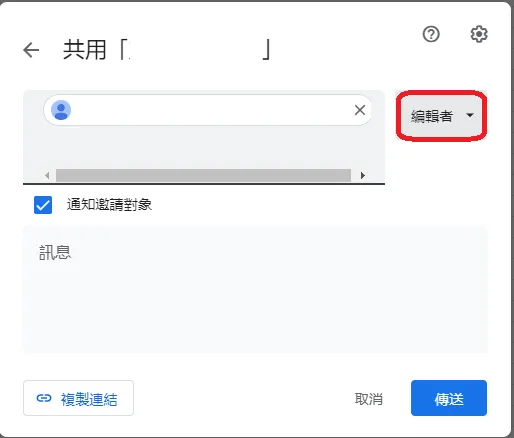
共用 google sheet 編輯者 (讓程式可以編輯)
跟我們通常使用 google sheet 邀請共同編輯的概念相同,我們一樣可以在 google sheet 中找到共享的部分,
並且把要編輯的文件共享給上篇文章設定的開發者 email
這邊只要按下確認就會自動開啟權限了,不用特別再去收信什麼的。
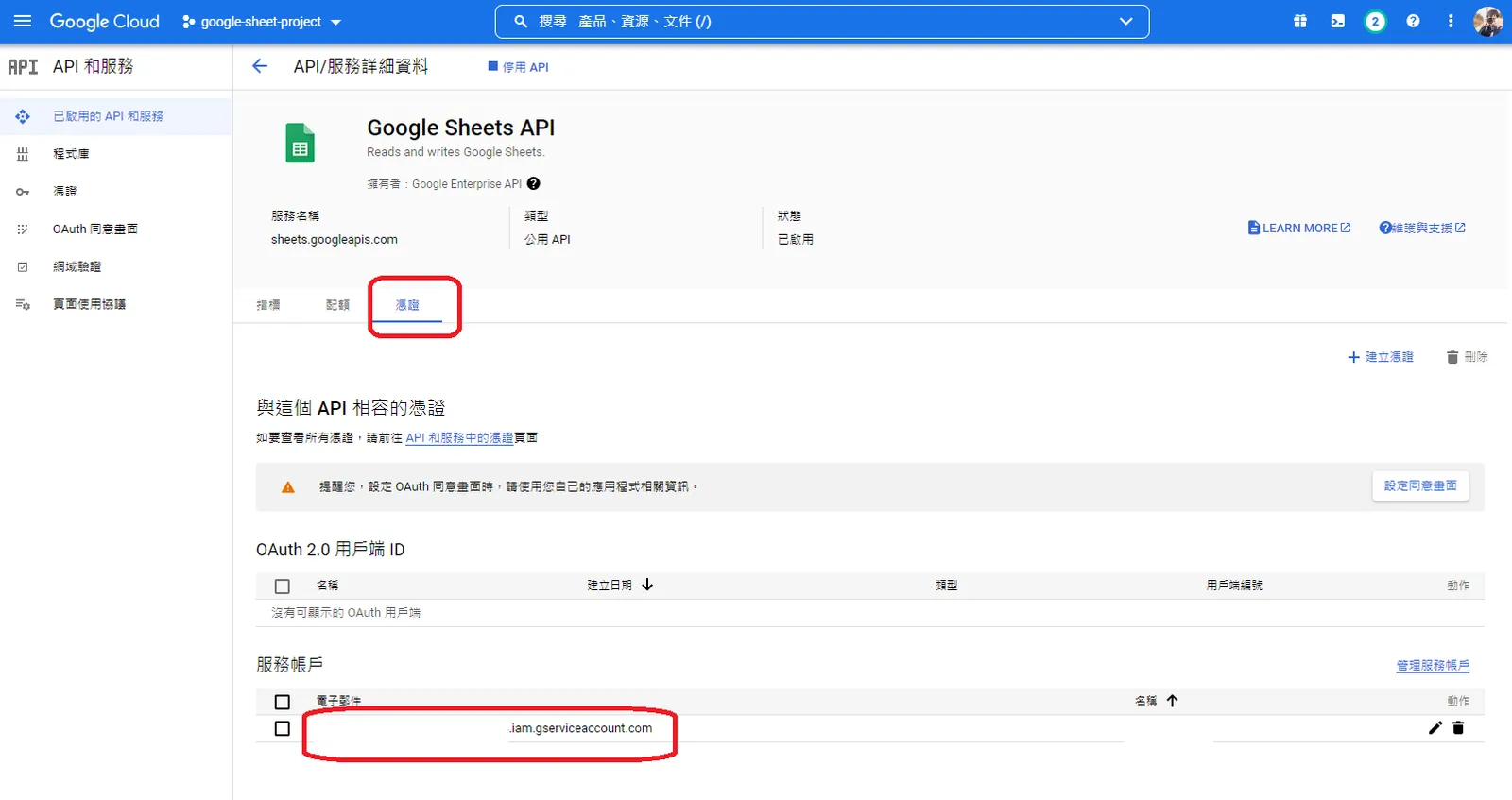
- 不知道 email 在哪的,這張圖幫你回憶一下: